
New Project FFI Plugin
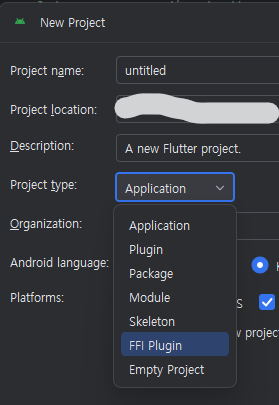
Android Studio New Flutter Project에 FFI Plugin type이 있다. 살펴보자
https://github.com/cornpip/ffi_plugin_test.git
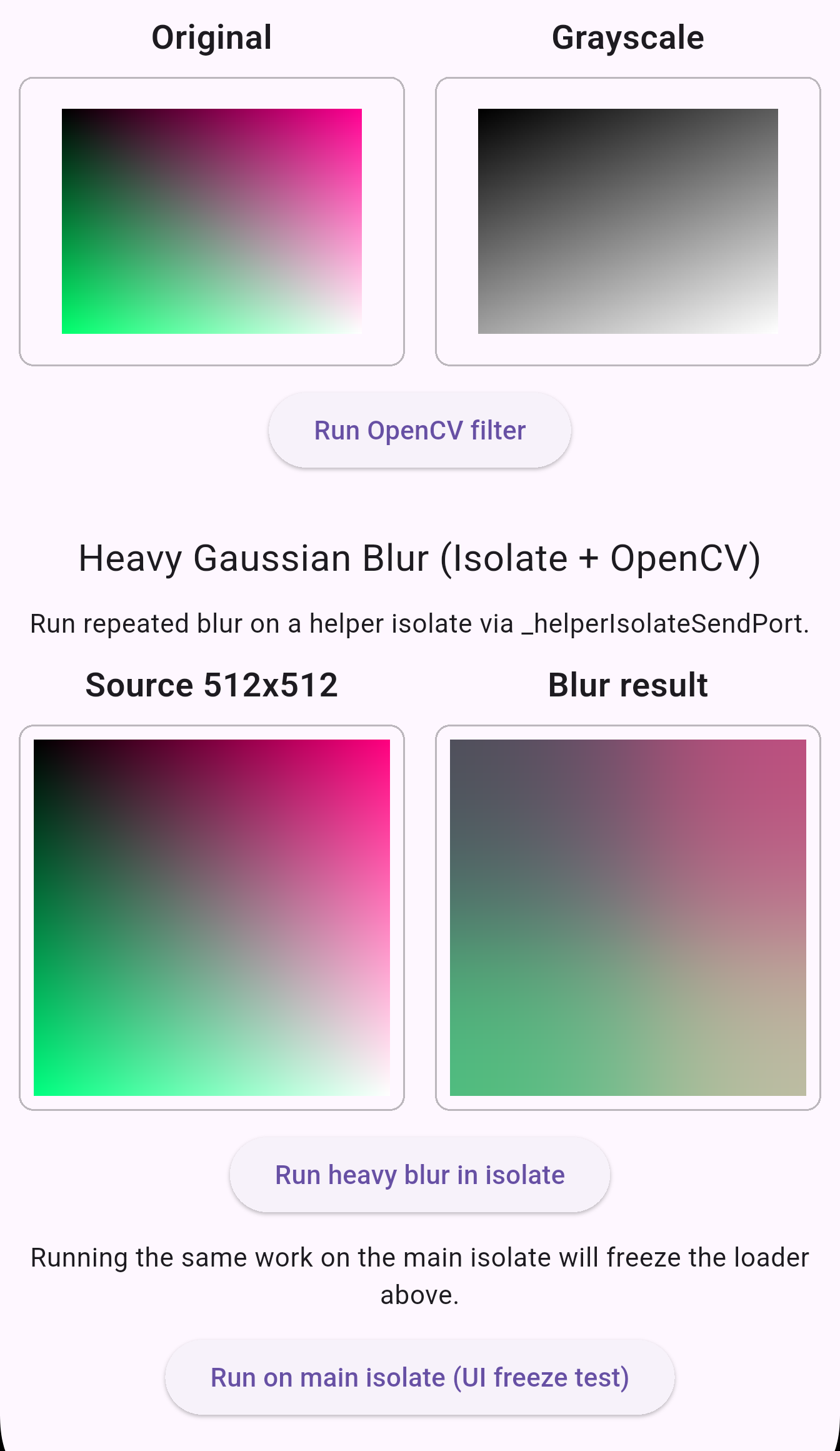
프로젝트 생성 후 OpenCV SDK를 추가하고, 몇 가지 예제 코드를 추가했다.
※ OpenCV 설정은 안드로이드만 적용했다.
ffigen.yaml
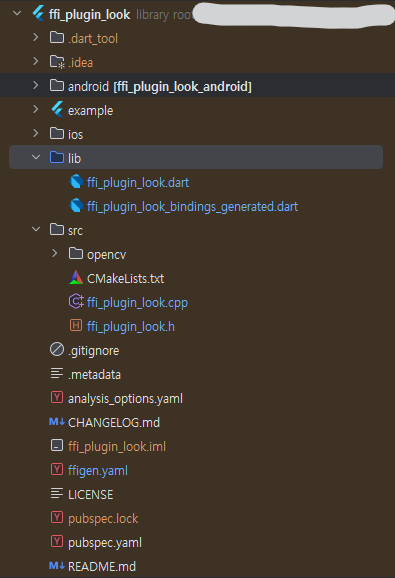
FFI Plugin으로 프로젝트를 만들어보면 FFI 기본 구조와 `ffigen.yaml` 이 있다.
# ffigem.yaml
# Run with `dart run ffigen --config ffigen.yaml`.
name: FfiPluginLookBindings
description: |
  Bindings for `src/ffi_plugin_look.h`.
output: 'lib/ffi_plugin_look_bindings_generated.dart'
headers:
  entry-points:
    - 'src/ffi_plugin_look.h'
  include-directives:
    - 'src/ffi_plugin_look.h'
preamble: |
  // ignore_for_file: always_specify_types
  // ignore_for_file: camel_case_types
  // ignore_for_file: non_constant_identifier_names
comments:
  style: any
  length: full
옵션들을 작성하고 스크립트를 실행하면 binding dart 코드를 생성해 준다.

# ffi_plugin_look_bindings_generated.dart
void apply_heavy_blur(
  ffi.Pointer<ffi.Uint8> rgba_pixels,
  int width,
  int height,
  int iterations,
) {
  return _apply_heavy_blur(rgba_pixels, width, height, iterations);
}

late final _apply_heavy_blurPtr =
    _lookup<
      ffi.NativeFunction<
        ffi.Void Function(ffi.Pointer<ffi.Uint8>, ffi.Int, ffi.Int, ffi.Int)
      >
    >('apply_heavy_blur');
late final _apply_heavy_blur = _apply_heavy_blurPtr
    .asFunction<void Function(ffi.Pointer<ffi.Uint8>, int, int, int)>();
2025.04.08 - [flutter] - Flutter C++ OpenCV로 이미지 처리하기 + 16KB Memory Page Size
(예제 = 이전 발행 글 예제)
생성된 코드는 기존 예제의 `lib/native/native_process.dart` 부분에 해당한다.
`lookupFunction`을 late final로 한 번만 호출하게 했다.
CMakeLists.txt
` target_link_options(ffi_plugin_look PRIVATE "-Wl,-z,max-page-size=16384")`
기본 CMake 설정에 Support Android 15 16k page size 옵션도 있다.
예제에선 전역 링크 플래그를 수정했는데, 여기선 특정 타깃에만 16KB 페이지 정렬 옵션을 지정했다.
ffi_plugin_look.dart
`ffi_plugin_look.dart`는 예제의 `lib/native/native_control.dart` 부분에 해당한다.
DynamicLibrary.open, 포인터 처리, FFI 사용 로직 등이 있다.
`_helperIsolateSendPort` 는 예제의 `compute(_convert_to_gray_func, ..)` 역할을 한다.
시간이 드는 작업은 별도의 isolate에서 돌리는 것이 일반적이다.
기본 실행 컨텍스트인 main isolate에서 무거운 작업을 수행하면, 그동안 UI 스레드가 멈춘 것처럼 보이기 때문이다.
/// The SendPort belonging to the helper isolate.
Future<SendPort> _helperIsolateSendPort = () async {
  // Receive port on the main isolate to receive messages from the helper.
  // We receive two types of messages:
  // 1. A port to send messages on.
  // 2. Responses to requests we sent.
  final Completer<SendPort> completer = Completer<SendPort>();

  final ReceivePort receivePort = ReceivePort()
    ..listen((dynamic data) {
      print(data);
      if (data is SendPort) {
        // The helper isolate sent us the port on which we can sent it requests.
        completer.complete(data);
        return;
      }
      if (data is _SumResponse) {
        // The helper isolate sent us a response to a request we sent.
        final Completer<int> completer = _sumRequests[data.id]!;
        _sumRequests.remove(data.id);
        completer.complete(data.result);
        return;
      }
      if (data is _HeavyBlurResponse) {
        final Completer<Uint8List>? completer =
            _heavyBlurRequests.remove(data.id);
        if (completer != null) {
          final Uint8List pixels =
              data.rgbaPixels.materialize().asUint8List();
          completer.complete(pixels);
        }
        return;
      }
      throw UnsupportedError('Unsupported message type: ${data.runtimeType}');
    });

  // Start the helper isolate.
  await Isolate.spawn((SendPort sendPort) async {
    final ReceivePort helperReceivePort = ReceivePort()
      ..listen((dynamic data) {
        if (data is _SumRequest) {
          final int result = _bindings.sum_long_running(data.a, data.b);
          final _SumResponse response = _SumResponse(data.id, result);
          sendPort.send(response);
          return;
        }
        if (data is _HeavyBlurRequest) {
          final Uint8List rgba =
              data.rgbaPixels.materialize().asUint8List();
          final Uint8List blurred = _runHeavyBlurNative(
            rgba,
            data.width,
            data.height,
            data.iterations,
          );
          final _HeavyBlurResponse response = _HeavyBlurResponse(
            data.id,
            TransferableTypedData.fromList(<Uint8List>[blurred]),
          );
          sendPort.send(response);
          return;
        }
        throw UnsupportedError('Unsupported message type: ${data.runtimeType}');
      });
    sendPort.send(helperReceivePort.sendPort);
  }, receivePort.sendPort);

  return completer.future;
}();
Future<SendPort> _helperIsolateSendPort = () async {} ()
바로 함수 실행하는 표현이다.
메인 isolate = default
헬퍼 isolate = 별도 isolate.spawn을 의미한다.
헬퍼 isolate 마지막에 sendPort.send(helperReceivePort.sendPort); 가 있어서
final SendPort helperIsolateSendPort = await _helperIsolateSendPort;
는 헬퍼 ReceivePort를 얻을 수 있다.
두 개의 ReceivePort가 있는데, 메인 isolate 포트가 응답을 받고 헬퍼 isolate 포트가 요청을 받는다.
헬퍼 포트에서 작업을 끝내고 메인 쪽 포트로 응답을 send 하면, 메인 쪽 listener가 대응하는 Completer를 완료하는 흐름이다.
compute vs ( Isolate.spawn + ReceivePort )
compute
- 내부적으로 별도 isolate를 만들고 메시지 포맷/전송을 모두 숨겨 준다.
- 간단한 CPU 바운드 작업을 분리할 때 사용하기 좋다. (일회성 작업)
Isolate.spawn + ReceivePort
- isolate를 재사용하면서 여러 요청을 주고받거나, 복잡한 타입을 줄 수 있다.
- 메시지 라우팅, 에러 처리, isolate 수명 등을 모두 직접 제어하므로 유연성과 제어권이 크다.
pubspec.yaml (./example)
만든 FFI Plugin 패키지를 사용하는 방법에는
- pub.dev 배포 (public)
- github (private & public)
- local path (private)
등등 몇 가지 있다.
깃헙으로 사용한다면
  # pubspec.yaml(example)
  ffi_plugin_look:
    git:
      url: https://github.com/cornpip/ffi_plugin_test.git
      ref: master
위와 같이 세팅하고 `Pub get` 해서 저장한다.
최초 `Pub get` 이후 Repository의 최신 커밋을 업데이트하고 싶으면 `pubspec.lock`을 지우고 get 해야 한다.
# main.dart
import 'package:ffi_plugin_look/ffi_plugin_look.dart' as ffi_plugin_look;
    ....
    matrixResult = ffi_plugin_look.multiplyMatrices(
      const [1, 2, 3, 4],
      const [5, 6, 7, 8],
      2,
    );
    ....
    final Uint8List filtered = await ffi_plugin_look.applyHeavyBlurAsync(
      pixels,
      _heavyDemoWidth,
      _heavyDemoHeight,
      iterations: 1000,
    );
만든 FFI plugin을 사용할 수 있다.
'mobile > flutter' 카테고리의 다른 글
| Flutter Yolo11n Sample (0) | 2025.12.13 |
|---|---|
| Flutter ML Kit FaceMesh 실시간 얼굴 인식 예제 (0) | 2025.10.24 |
| Flutter Camera ImageStream Issue: The Previous frames remained (0) | 2025.08.12 |
| Flutter Camera Preview Blank - Android10 (0) | 2025.08.04 |
| Flutter C++ OpenCV로 이미지 처리하기 + 16KB Memory Page Size (0) | 2025.04.08 |